Free while in beta · No install
A modern chess analytics & database tool. In your browser.
11 million OTB games & 400 million Online Database. Find your leaks and improve them. Prep your opponents. Find Novelties like never before. No install, no annual upgrade
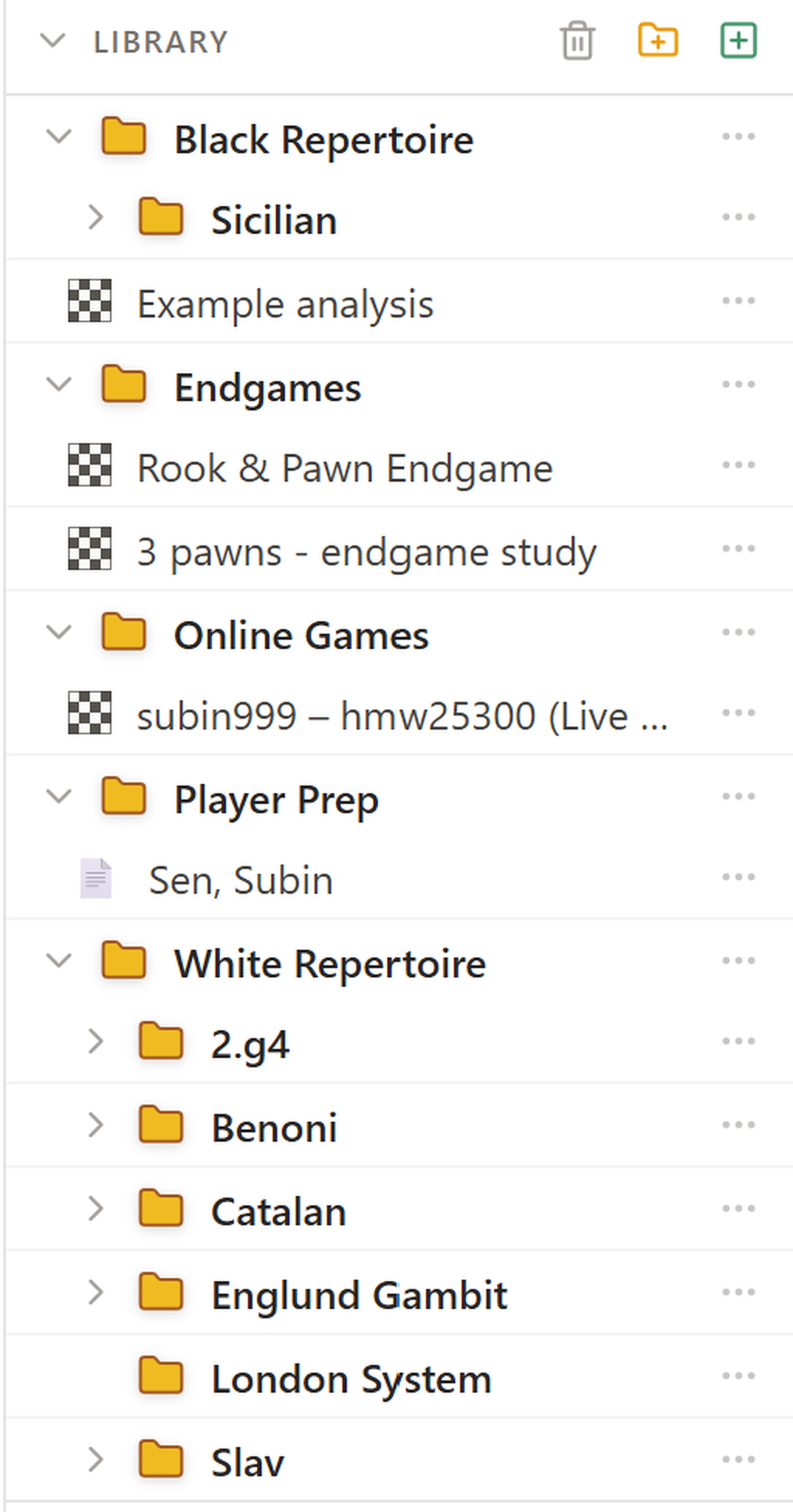
Library & Cloud
Your chess library. In the cloud.
Build your personal chess library with unlimited cloud storage. Work with others easily using sharable reports and collaborative analysis.
- Unlimited cloud storage for all your games and reports
- Build and organize your personal chess library
- Share reports with coaches, friends, and students
- Collaborate with shareable links
Your entire chess history, accessible anywhere, shareable with anyone.
chesslabhq.com/app
UltraDatabase
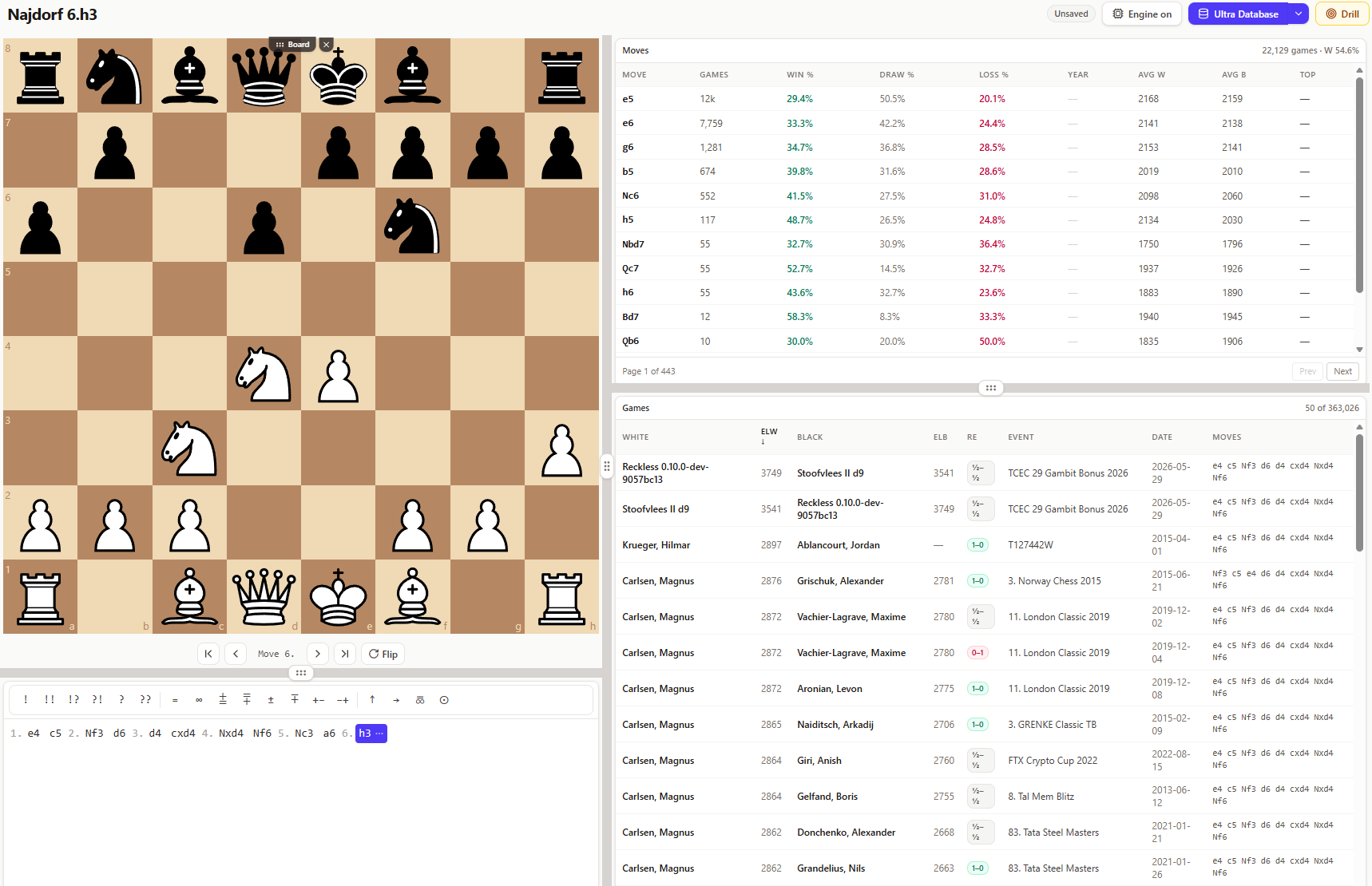
Every rated game that matters. Logged. Analysed.
Seamlessely build your repertoire leveraging high win-rate variations:
Gain access to over 400 million games spanning from 1500BC to today. You can follow engine analysis or follow real-life practical win-rates.
Deep understanding of opponent tendencies:
Understand which lines your opponent is most likely to play. Find their weaknesses. Identify novelties, and variations that your opponent will struggle in.
Novelty Finder:
You also get access to 3500-Elo lines top engine-vs-engine games that reveal what modern theory actually looks like beyond human games and depth.
Never miss a game:
Auto-updated database so you can keep on top of new games/novelties/ideas.
Gain access to over 400 million games spanning from 1500BC to today. You can follow engine analysis or follow real-life practical win-rates.
Deep understanding of opponent tendencies:
Understand which lines your opponent is most likely to play. Find their weaknesses. Identify novelties, and variations that your opponent will struggle in.
Novelty Finder:
You also get access to 3500-Elo lines top engine-vs-engine games that reveal what modern theory actually looks like beyond human games and depth.
Never miss a game:
Auto-updated database so you can keep on top of new games/novelties/ideas.
Deep preparation
Find weaknesses in an instant and build sharper lines.
Live database, updated weekly
400M+ games refreshed automatically so you never miss a novelty.
chesslabhq.com/app
Leak Finder
Stop guessing what you're bad at.
ChessLab produces a highly bespoke analytics report based on nine key areas of your game and compares it with your peers. The best way to know what to work on.
01
Openings Tree
Every line you've played, transpositions merged, W/D/L at every branch.
02
Openings Overview
Which ECO codes are you crushing at, which ones do you need to work on.
03
Conversion
Do you close out +2 positions, or hand them back?
04
Counterplay
When you're worse, do you fight or fold?
05
Endgame
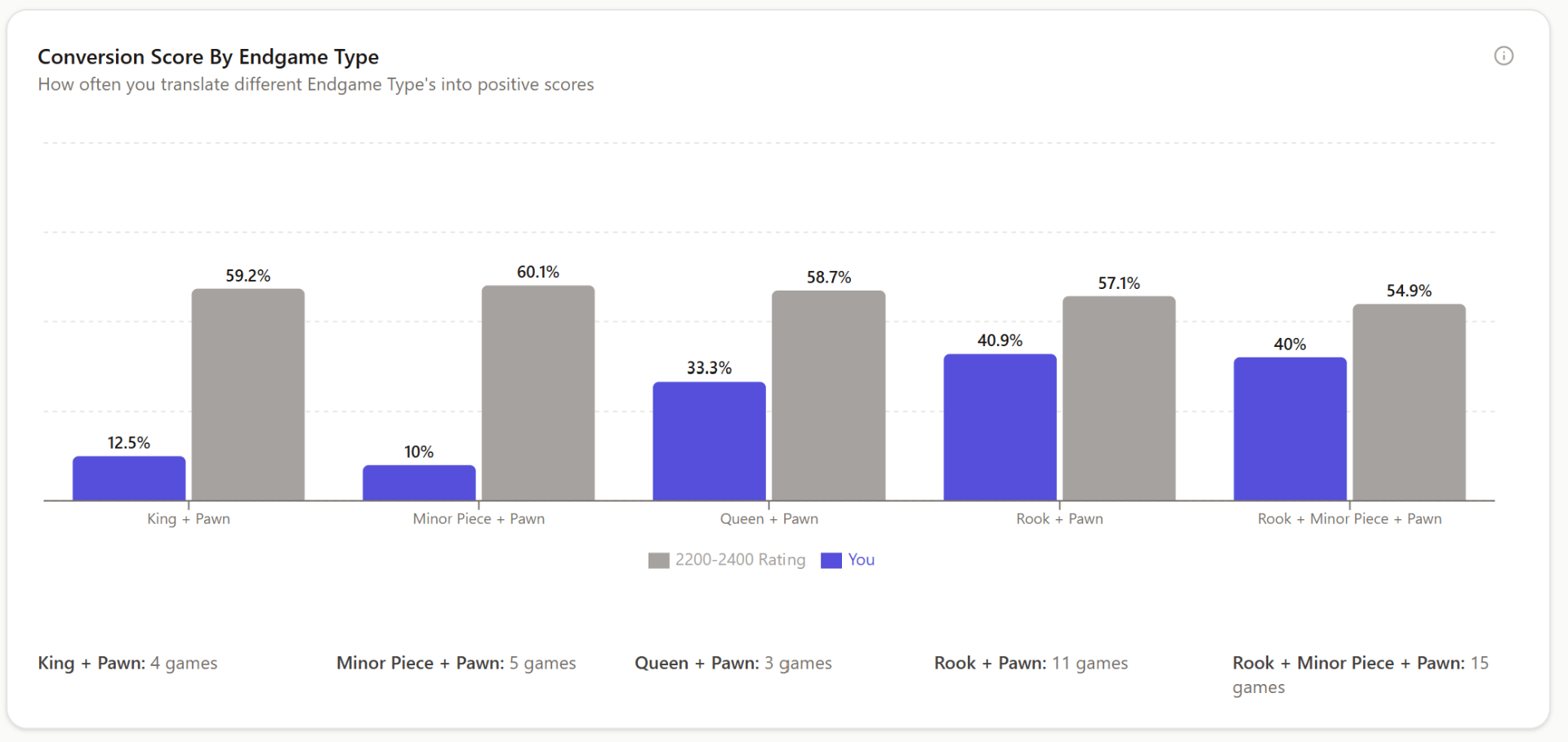
Do you build and convert Endgames? Which types of endgames are you bad at? Where do the half-points go?
06
Tactics
Inaccuracies, mistakes, blunder rates compared with peers
07
Speed
Time-per-move by phase, pressure buckets, premove rates.
08
Deep Analysis of Individual Games
Dig deeper into individual games. Find the weaknesses, and drill them.
09
coming soonImprovement
Rolling-window trends across every metric.
VISUALISATION
Train your board vision. Blindfold Puzzles
The blindfold trainer improves your board visualization starting from simple understanding of the board, to deeper puzzles
ChessLab vs. Other Tools
The best chess database and analysis tool on the market
A side-by-side comparison of ChessLab against the tools you already know. Larger databases, free analysis, and a modern interface that works in any browser.
| Feature | CHESSBASE / OTHER TOOLS | CLChessLab |
|---|---|---|
| Master games database | ~11M games, yearly updates | 400M+ games, continuously updated |
| All FIDE-rated games database | Partial — Masters/classical only | Every rated OTB game |
| Engine games database | TCEC-tier games at 3500+ Elo | |
| Position search | Lightning-fast UI for any game, PGN or FEN | |
| Opening tree | Transposition-aware fast click-through opening tree | |
| Player prep / opponent scouting | Research any FIDE-rated or online opponent | |
| Runs on Mac / Linux / Windows | Windows only | Any browser |
| Cost to start | Hundreds of euros upfront | Free |
| External engine for deep analysis | Sold separately | Stockfish 18 included |
| Learning curve | Weeks of tutorials | Simple & modern. Build repertoires in 1 day. |
| Leak Finder | 9 factors deeply analyzed. | |
| Rating-peer comparison | Every factor compared to your peer group | |
| Unlimited Analysis of all your games | Behind expensive paid service | Unlimited |
| Updates | Yearly, paid | Dedicated Developer Team constantly iterating |
Master games database
Other Tools
~11M games, yearly updates
ChessLab
400M+ games, continuously updated
All FIDE-rated games database
Other Tools
Partial — Masters/classical only
ChessLab
Every rated OTB game
Engine games database
Other Tools
ChessLab
TCEC-tier games at 3500+ Elo
Position search
Other Tools
ChessLab
Lightning-fast UI for any game, PGN or FEN
Opening tree
Other Tools
ChessLab
Transposition-aware fast click-through opening tree
Player prep / opponent scouting
Other Tools
ChessLab
Research any FIDE-rated or online opponent
Runs on Mac / Linux / Windows
Other Tools
Windows only
ChessLab
Any browser
Cost to start
Other Tools
Hundreds of euros upfront
ChessLab
Free
External engine for deep analysis
Other Tools
Sold separately
ChessLab
Stockfish 18 included
Learning curve
Other Tools
Weeks of tutorials
ChessLab
Simple & modern. Build repertoires in 1 day.
Leak Finder
Other Tools
ChessLab
9 factors deeply analyzed.
Rating-peer comparison
Other Tools
ChessLab
Every factor compared to your peer group
Unlimited Analysis of all your games
Other Tools
Behind expensive paid service
ChessLab
Unlimited
Updates
Other Tools
Yearly, paid
ChessLab
Dedicated Developer Team constantly iterating
Why ChessLab wins: 400M+ games (vs ~11M in ChessBase), free unlimited Stockfish analysis, Leak Finder, peer comparison, and a cloud library that works on any device — no install, no paid engine, no yearly upgrade.
chesslabhq.com/app
Peer Comparison
You vs your rating band. Move by move.
Every stat in the Leak Finder is overlaid against players of your exact rating band, in your time class, against opponents in your bracket. If your Rook + Pawn conversion rate at Blitz is 68% and your peers convert 78%, you know exactly what to work on — and how much you'd gain by fixing it.
Peer baselines are recomputed monthly from a corpus of 1.5M+ analyzed games across 2,000+ players.
Peer baselines are recomputed monthly from a corpus of 1.5M+ analyzed games across 2,000+ players.
Pricing
Free while in BETA